Docker is one of the hottest topics in modern IT. It has transformed the way we build, test, and deploy applications. But before we dive into what Docker is, let’s first understand the problem it solves.
Table of Contents
The Problem Docker Solves
Imagine two islands. Island 1 wants to send supplies to Island 2. To make transport easier, Island 1 packs everything neatly into a box. That box is a container—it holds everything needed for delivery, ensuring Island 2 gets it in the same form.
Now let’s bring this into the IT world.
- Company A asks Company B to build an ERP application.
- Company B develops the ERP and sends it over.
- But when Company A tries to run it, it doesn’t work—different OS, databases, and dependencies cause compatibility issues.
Here’s where Docker comes in. Docker packages the application with everything it needs into a container, so it runs anywhere without compatibility issues.
What is Docker?
Docker is a containerization platform that allows developers to package applications along with all their dependencies. This ensures the app runs the same way across different environments, whether it’s development, testing, or production.
How Docker Works
To understand Docker, let’s compare it with traditional virtual machines (VMs):
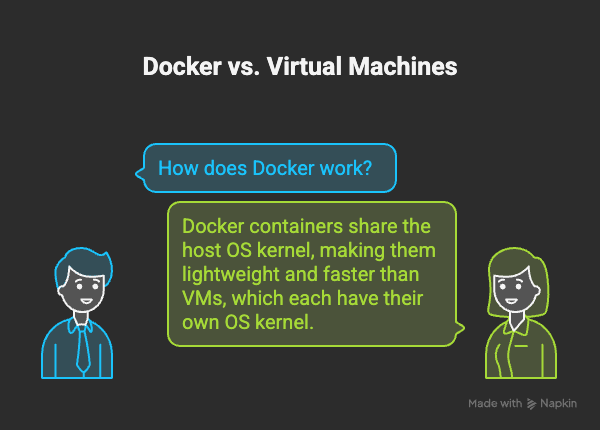
- In a VM setup, a hypervisor creates fully isolated virtual machines, each with its own OS kernel. This makes them heavy and slower to boot.
- In Docker, containers share the host OS kernel but include all necessary libraries and dependencies. This makes them lightweight, faster, and easier to deploy.
Think of it like this:
- VMs = Each guest brings their own house.
- Docker = Guests share one house but have separate rooms.
Advantages of Docker
✔ Faster deployments
✔ Lightweight and efficient (no separate OS kernel needed)
✔ Consistent app behavior across environments
✔ Saves time for developers and sysadmins
Disadvantages of Docker
❌ Containers are not fully isolated like VMs
❌ Some compatibility limitations (e.g., Windows Docker containers don’t run on Linux hosts directly)
❌ Requires monitoring to ensure container sprawl doesn’t affect resources
FAQ Section
No. Unlike VMs, Docker containers share the host OS kernel, making them lighter and faster.
Yes, but containers are OS-specific. Linux containers run on Linux hosts, and Windows containers on Windows hosts.
Yes, Docker offers a free community edition, but enterprises can opt for paid plans with advanced features.
It ensures applications run the same way everywhere—making development, testing, and deployment seamless.
Conclusion
Docker has revolutionized how applications are delivered. By packaging apps into containers, it eliminates the classic “works on my machine” problem and makes deployment faster and more reliable.
👉 If you want speed, consistency, and efficiency in your IT operations, Docker is a must-have tool.